To get started with
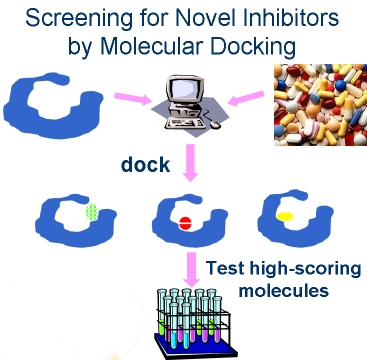
structure based ligand discovery using
DOCK Blaster
you need the structure of the
target for which
you want to find
ligands. We provide the database of purchasable small molecules
( ZINC )
and the docking program (
DOCK 3.6 )
that fits those molecules into the binding site and
calculates a score for each one.
DOCK Blaster will dock and score each molecule against
your target and provide you with a ranked list which you may
review and prioritize for purchase and testing. Although you should always
be skeptical, we will also try to tell you whether you should
invest in the results or not.
Here are some places to go next:
- To frame the question you want to answer, what data are available, and what other approaches you might consider, try the preliminary questions.
- To go step by step through some typical applications, try the tutorials.
- If you have docked before, you might want to jump ahead and see how to prepare input.
- If you have trouble using DOCK Blaster, please be sure to have tried at least one tutorial before asking for help.
Terms of use
Privacy policy
Questions, Bug reports, Feature requests
Thanks to NIGMS! GM71896
This is not an official UCSF website. The opinions or statements expressed herein should not be taken as a position of or endorsement by the University of California, San Francisco.
Copyright 2009-2024 John Irwin and the UC Regents
This is not an official UCSF website. The opinions or statements expressed herein should not be taken as a position of or endorsement by the University of California, San Francisco.
Copyright 2009-2024 John Irwin and the UC Regents